
Collecting your Family Progression experience is often a hassle. Many times, you need to refresh the page or start a new session in order for performed tasks to register. If you don’t have a good memory, you often forget what you already collected. All Zynga gives us is a collect button. There is no indication if you will be collecting Bronze, Silver or Gold.

If you use the Spockholm Mafia Toolbar, a star will appear on the collect buttons so you will know what level you will be collecting. This is great but still doesn’t solve the registering problem.

Whenever I collect from my properties, I click open the Family Progression Page and nothing registers. The only way I can get my collect button to appear is to reload the page. Often I move on to something else and frequently forget about it.
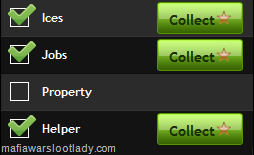
A major issue for many of us is that we forget to collect our Family Experience Bonuses or we collect them at the wrong times. If you don’t use strategy when collecting, you often risk wasting energy and/or stamina. The Family Exp Collector by Team Spockholm is a solution. It can be found by using the search bar.

If you don’t see it, go to the Config Page and click on the “force reload Spocklets” link.

Once you activate Family Exp Collector by clicking on it from the search bar, follow the step below to collect your Family Experience the easy way!
1. Ensure you have Family Experience to collect. Stars with red splashes on them indicated that the bonus has already been collected or the tasks have not been performed.

If you have experience to collect, boxes will appear next to each category and level. Just like the game, the Family Exp Collector only knows what the first uncollected level is.

2. Click the boxes for each bonus you want to collect. As you click on the boxes, it will calculate how much total experience you will get and show you the energy and stamina ratios required to reach the next level. If the number of bonuses you chose will cause a level up, it will say “Level!” after the total experience. If this is the case, you want to make sure you use up all your remaining energy and stamina before starting.

3. Click the start button and wait for the run to complete. If you checked a bonus and the task wasn’t complete, the log will let you know there was a failure and you can look at the now exposed data to see what you need to complete. Just like Missions, individual experience bonuses will vary based on your level.

4. Repeat the the step above for additional runs when the bonuses will help you the most. If you are like me and there is a high probability you could forget to collect, use up all your energy and stamina and collect everything in one run. I still end up wasting stamina but not enough to outweigh the risk of forgetting to collect.


If you level up during the run, your popup will be remain on the page until you close it out.


if u look closly it does put little strs in top right corner of collect so u can tell what lvl it is
ReplyDelete