Yesterday I told you about a cool update to the Link-a-Nator
(1) involving different options to get your links shortened for easier posting. If you listen to Episode 15 of the
The Informant Podcast, Pistol Pete discusses this addition. Eike Meier, who contributes to some of the Spockholm scripts wrote an excellent note outlining what the bit.ly option and what it can do for you. Remember choosing this option requires that you have your own bit.ly account. This is an advantage to the tiny.url links because you will be able to track how many clicks you get and it will reduce the number of tiny urls created and thus errors when the cap is met and the links get compromised.
Here is the note written by Eike which explains the process. I added a few comments from trying it out myself. I enclosed my comments in brackets [].
1. Go to
http://bit.ly/ and click "Sign Up".
2. Enter your email-adress, desired username and password.
3. Login and go to page
http://bit.ly/a/your_api_key/ and copy your api-key.
[If you forget this link or don't want to come back to this note, there is a link for it right on The Link-a-Nator. You will only need to do the step above once because the Link-a-Nator will remember your API Key for you.]
4. Open the Link-a-nator, select "bit.ly" and enter your username and API-key (not password!) into the fields. They will be automatically saved for the next runs.
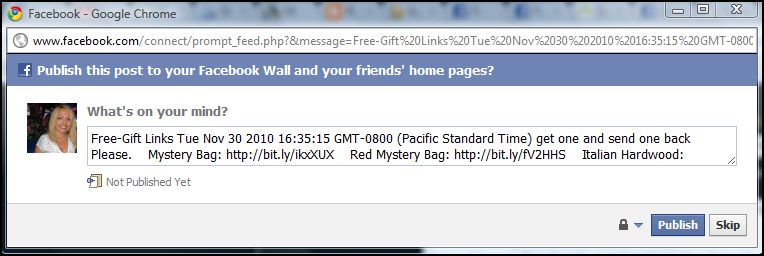
5. Run the Link-a-nator as usual and publish your links (image added to the note. For those of you have asked me how to publish the links to your wall, take note of the big "Publish to Wall" button.)
6. If you now login into your bit.ly account, you can see the list of links and number of clicks. Now, finding out which gift link belongs to which gift is a bit luck - mouseover the link and if you're lucky, you can see the name of the gift link this:
[I also found it cool that you could see the data outlined in other ways as well.]
This works better in FF than chrome.
Have fun!
PS. I've made a small bookmarklet to include the name of the gift visibly into the page like that
Copy the script below and paste it into your browser.
javascript:(function(){ var boxes%3Ddocument.getElementsByClassName('resultsItemContainer');for(i%3D0,j%3Dboxes.length;i<j;i%2B%2B){if (m%3D/ztrack_subcategory\%3D\d%2B_([^\%26]%2B)\%26/.exec(boxes[i].innerHTML)){var name%3Dm[1];var box%3Dboxes[i].getElementsByClassName('long_url_display_more')[0]; var newItem%3D'
'%2Bm[1]%2B'
'; $(box).append(newItem); }}})()
Many thanks to Eike for taking the time to write this so us computer not so smart people can understand what the bit.ly update is all about.